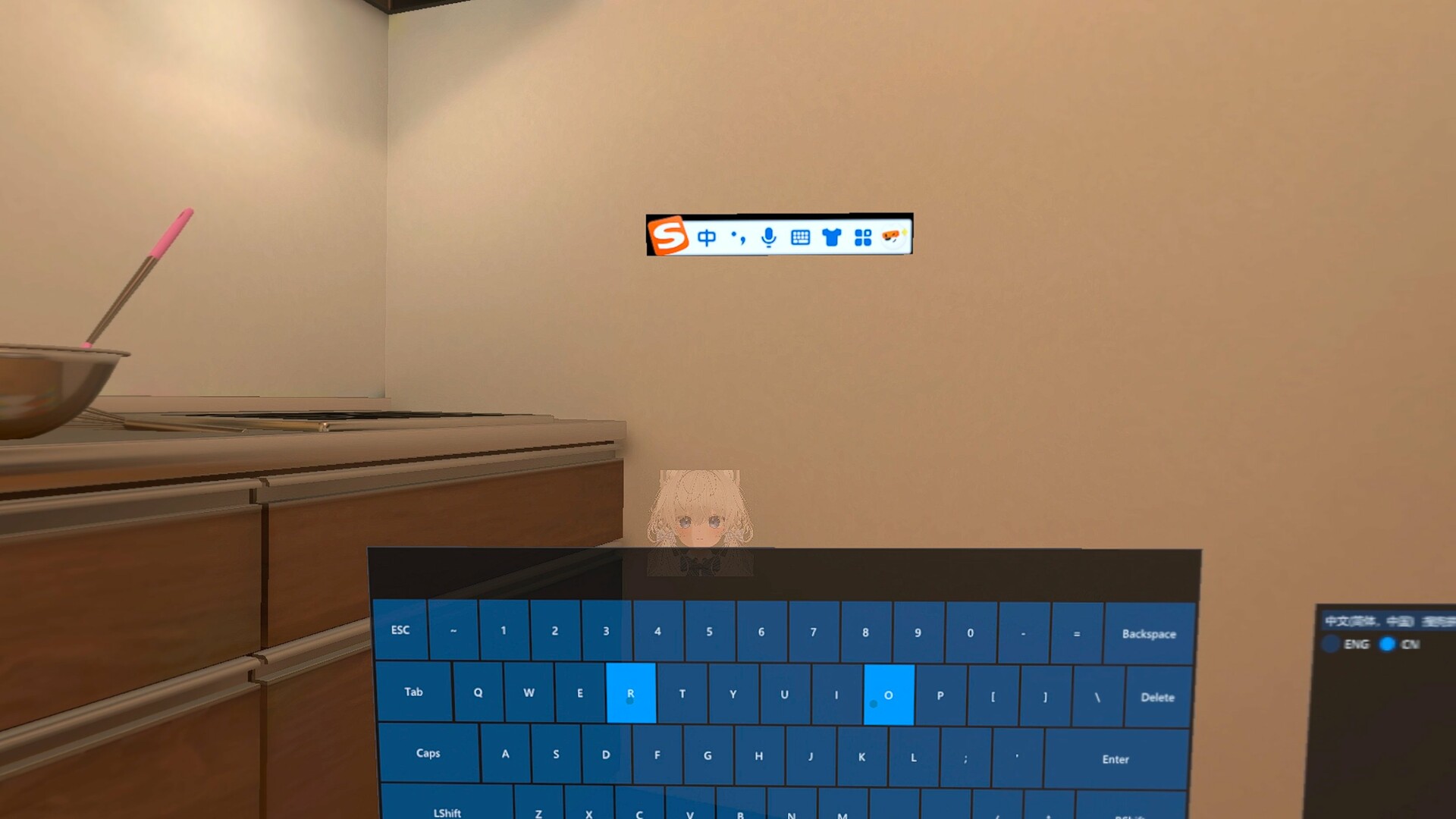
OVR Input Method Bridge is a tool application that enables you to use your system input method editors(IMEs) to type non-English characters in specific VR games.
This application will request for admin privilege at first time.
Supported Games:
VRChat
Supported IMES:
Simplified Chinese - Sogou IME
Simplified Chinese - Microsoft Pinyin IME
Usage:
Make the input field in the center of your view, turn on the keyboard(for quest controllers, the default binding of toggling keyboard is double clicking A button on the right controller, for knuckles controller, the default is double-pressing the right thumbstick), then you could switch your IME and type the characters.
Notes:
In VRChat, even when in VR mode, text input fields still operate with the concept of 'focus'. Text input fields have two states: focused and unfocused. When a text field has focus, it appears as a very deep blue, and only at this point can you type into it. If the text field is unfocused, it also appears as a very dark blue, but slightly lighter than when it's focused, and in this state, you cannot input text. Furthermore, many actions in VRChat can cause a text field to lose focus. Therefore, the virtual keyboard is designed to pop up in the same location as VRChat's default keyboard. This is to prevent situations where you might be typing, then unexpectedly lose focus, making it impossible to input text into the field.
Key Bindings:
Toggle Keyboard:
Quest Controllers: Double-tap the A button on your right controller.
Knuckles Controllers: Double-tap the right joystick.
Pico Controllers: Double-tap the A button on your right controller.
Other Controllers: There are currently no default bindings; you will need to set them up yourself. You can open the program's key binding interface by clicking "Open Binding Ui" on the main window.